

Models & DataAI Catalog
Add Your Own Model
There are two ways to register a model in Bunyan's catalog:
- Deploy on Bunyan — deploy your own model on the platform, then register it.
- Bring Your Own Key — connect a model from a supported external provider.
Supported Providers
Choose a provider from the registration form. The available providers are loaded by Bunyan; use the options shown in your workspace and the connection details supplied by your provider.
Option 1: Register a Deployed Model
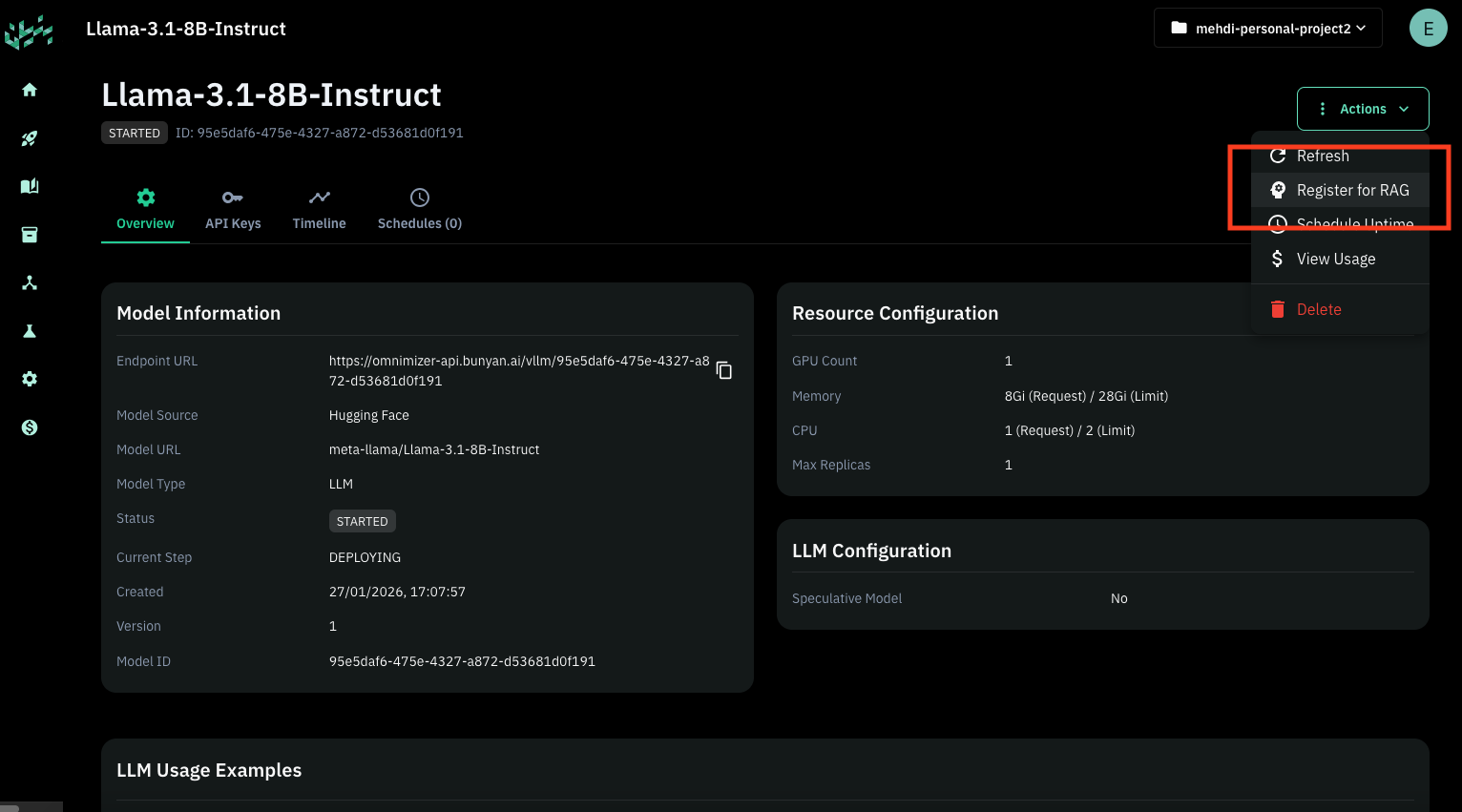
If you have already deployed a model on Bunyan, you can register it for use in RAG and other workflows:
- Go to your model page.
- Click the Actions button in the top corner.
- Click Register for RAG.
Option 2: Bring Your Own Key
To connect a model from an external provider:
- Go to the AI Catalog page.
- Select Register Model → New Private Model.
- Select the project for the configuration and complete the form below.
- Select Register Model to save it.
Basic Information
| Field | Description |
|---|---|
| Project | Project that the private configuration belongs to (required) |
| Model Name | Display name for the model |
| Model Identifier | Technical identifier for the model (required) |
| Endpoint URL | API endpoint URL for the model (required) |
| Auth Header Type | Authentication header type (default: bearer) |
| API Key | Required if the model needs API key authentication |
| Provider | Select the provider for your model |
Model Capabilities
Select one model type that matches the endpoint:
- Chat
- Multimodal
- Embedding
- Text-to-Speech
- Speech-to-Text
- Image Generation
The form shows settings for the selected type. Enter values supported by your model and provider.
Generation Configuration
For chat and multimodal configurations, review the generation settings shown in the form.
| Setting | Description |
|---|---|
| Temperature | Value between 0–1 controlling randomness |
| Max Tokens | Maximum tokens to generate (0 = unlimited) |